FloraStack merges a stack by one of three methods. They differ in how they decide which frame each part of the result comes from, and so in what they get right and wrong. The Stack tab’s Method chooses; Both makes a pyramid and a depth-map output from the same frames, to compare them, or to retouch one from the other.
| Pyramid | Depth map | Weighted average | |
|---|---|---|---|
| How | The sharpest detail at every scale, from fine to coarse | Each pixel from the frame where it is sharpest | Every frame blended, each weighted by its sharpness |
| Best for | Hair, bristles, antennae: near and far detail that overlap | Smooth subjects and backgrounds; exact colors and tones | Quick results; simple subjects without fine overlapping detail |
| Weak spots | Can raise contrast and noise a little | Halos and smears where near and far detail meet | Softer; veils around out-of-focus edges |
| Settings | Grit, range limit, tone, levels, decisions | Radius, smoothing, contrast threshold | Radius, smoothing, power |
| Speed | Slowest on the CPU, fast on a GPU | Reads the frames twice | Fastest |
Start with the pyramid. It is the default, and the best all-rounder. Try the depth map when the pyramid makes smooth areas noisy or shifts their tones, or when you need the depth map itself (for 3D or scientific exports). Use the weighted average for a quick look, or for subjects with no fine overlapping detail.
What they look like
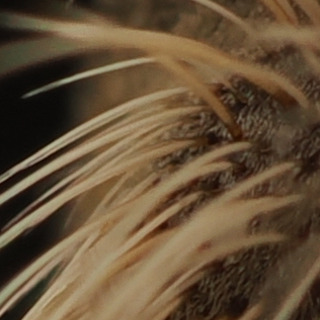
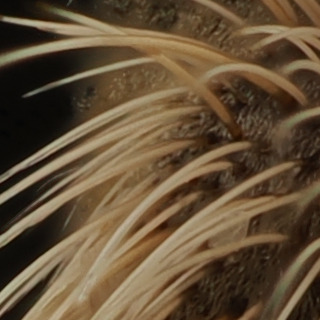
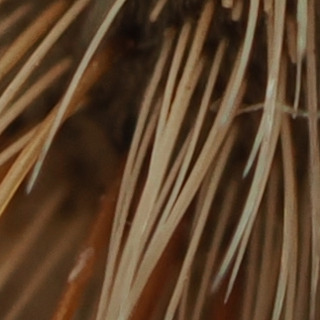
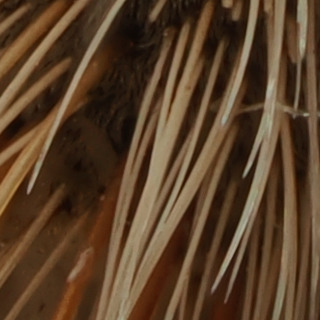
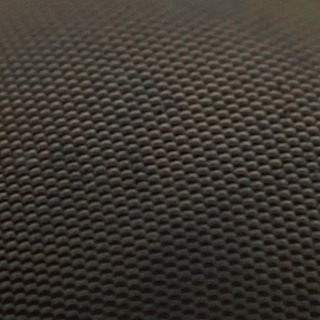
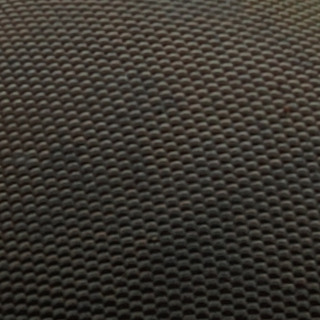
These are crops at 100%, 320 pixels square and not scaled, of the same places in three 20-megapixel outputs of one stack: 8 frames of an insect’s head, shot in a second on an OM System OM-1 Mark II with a 60 mm macro lens at f/8, as camera JPEGs. Beside each is the single frame that is sharpest at that place: what one photo can show. The places are where the three methods’ fine detail differs most, chosen by the script that made the crops.
Bristles over a dark background
| Sharpest frame (5 of 8) | Pyramid |
|---|---|
 |  |
| Depth map | Weighted average |
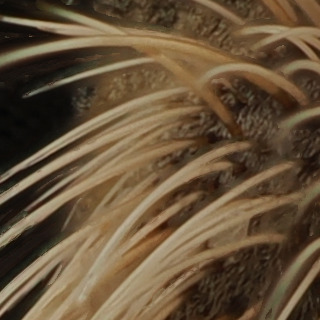 | 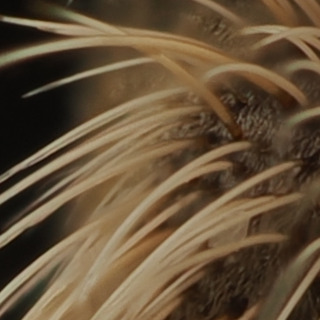 |
In the single frame only some bristles are sharp. The pyramid has them all, crisp, with the dark background clean between them. The depth map has them too, but where a near bristle crosses a far one it takes each pixel from one frame or the other, and smears appear along some of them. The weighted average is softer, and a faint veil of out-of-focus bristles lies over the background.
Crossing bristles
| Sharpest frame (3 of 8) | Pyramid |
|---|---|
 |  |
| Depth map | Weighted average |
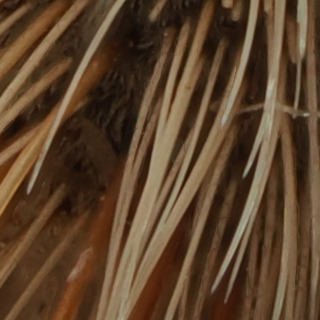 | 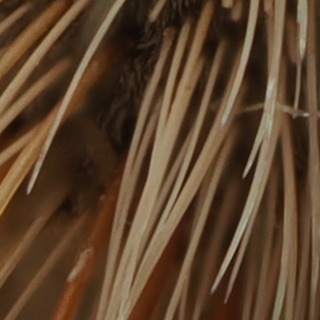 |
The same, more so: the depth map’s smudges sit between the bristles on the left, where the frames disagree about which is sharpest.
The compound eye
| Sharpest frame (3 of 8) | Pyramid |
|---|---|
 |  |
| Depth map | Weighted average |
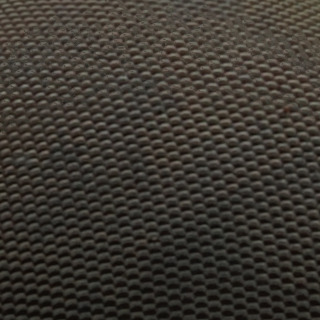 | 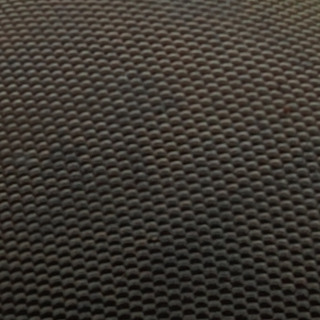 |
A curved, evenly textured surface: the single frame is sharp only in a band, and every method makes it sharp all over. The depth map shows faint patches where its choice of frame changes; the pyramid and the average are even.
On this stack the pyramid is the one to keep. On a smooth subject, such as a flower’s petals or a product’s surfaces, the depth map’s untouched tones and lower noise can win instead: try Both and compare.
Pyramid
The pyramid method splits every frame into layers of detail, from the finest (single pixels) to the coarsest (the broad tones), and at each layer and each place keeps the detail of the frame with the most of it there. Rebuilt, the layers give an image whose every detail comes from where it was sharpest, at every scale at once, which is why fine structures in front of other fine structures come out right.
Its settings, under Advanced:
- Grit decides whether the finest detail comes from the single sharpest frame (higher: crisper texture) or a blend of the sharpest ones (lower: less speckled noise in smooth areas).
- Range limit holds each pixel within the brightness the frames have there, which stops halos and overshoot around edges. Leave it at 1 unless you want local contrast to rise.
- Tone says what happens to the few values the method pushes beyond white or black: compressed back smoothly (the default), clipped, or kept for a 32-bit file.
- Decisions by luminance (the default) or by channel; by channel can reduce color fringes, but may shift colors.
Depth map
The depth-map method works out, for every pixel, in which frame it is sharpest (its depth), smooths that map so that neighbors agree, and takes each pixel from the frames at its depth. Colors and smooth tones stay exactly as the frames have them, and the depth map can be exported or turned into a 3D relief.
Where no frame stands out, such as a blurred background or a smooth surface, the sharpest frame is a guess, and following noise there makes blotches. The contrast threshold, which the tab asks for before stacking, marks those areas, whose depth is then filled in from the confident pixels around them: raise it until noise and smooth background turn black in its picture, while the subject’s detail stays visible.
Radius (how wide an area sharpness is measured over) and smoothing (how gradually it moves from one frame to the next) trade fine detail against seams and noise. The Stack tab explains each.
Weighted average
The weighted average blends every frame at every pixel, weighting each by how sharp it is there. It is the fastest method and makes no halos of its own, but out-of-focus frames always contribute a little, which softens the result and leaves veils around a subject’s edges. Power sets how strongly the sharpest frame wins.
Previews and outputs
Every method can preview at a quarter of the size in a few seconds, and each full stack is kept as an output with the settings it was made with, so trying another method or setting never loses a result. For very deep stacks, of hundreds of frames, slabbing stacks groups of frames first and then the groups.